EN
EN
 AR
AR
 NL
NL
 FR
FR
 DE
DE
 EL
EL
 HI
HI
 IT
IT
 JA
JA
 KO
KO
 PL
PL
 PT
PT
 RU
RU
 ES
ES
 TL
TL
 IW
IW
 ID
ID
 LV
LV
 LT
LT
 SR
SR
 SK
SK
 SL
SL
 UK
UK
 VI
VI
 SQ
SQ
 ET
ET
 GL
GL
 HU
HU
 MT
MT
 TH
TH
 TR
TR
 FA
FA
 AF
AF
 BE
BE
 KA
KA

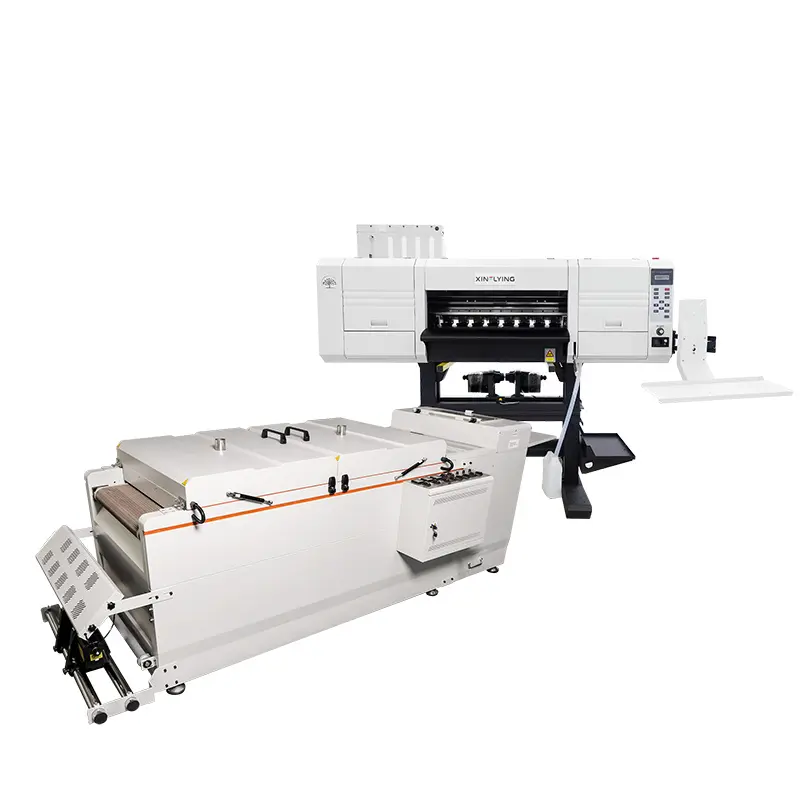
Одна з найкращих проблем і найбільш неприємних для будь-якої компанії, що займається друком на футболках, — це засмічення друкуючої головки. Це може призвести до поганої якості друку, витрат чорнил і матеріалів, а також дорогостойного простою. Але гарна новина в тому, що при правильному та регулярному обслуговуванні вашого принтера ви зможете уникнути більшості засмічень і експлуатувати працездатний принтер роками. У цьому посібнику наведено найкращі практики, які допоможуть утримувати ваші друкуючі головки в добром стані.
Робіть це звичкою — щоденне очищення
Найефективнішою звичкою, яку можна використовувати для запобігання засміченню, є базовий щоденний ритуал очищення. Ще однією дією після кожної сесії друку є проведення простого технічного огляду. Почніть перевірку сопел за допомогою програми принтера, щоб переконатися, що всі форсунки працюють належним чином. Очистіть ущільнювальну станцію принтера та область навколо каретки головки друку за допомогою чистої безворсової ганчірки, трохи зволоженої рекомендованим засобом для очищення. Не розпилюйте рідину безпосередньо на друкуючу головку. Це щоденне протирання позбавляє від пилу, що міститься у повітрі, ворсу з одягу, а також від засохлого чорнильного туману, який може накопичуватися й впливати на роботу друкуючої головки. У разі принтерів компанії Guangzhou Xin Flying Digital Technology Co., Limited, найкраще дотримуватися інструкцій щодо очищення, наведених у посібнику; це забезпечить сумісність із компонентами принтера.
Використовуйте чорнила найвищої якості та зберігайте їх у належному стані
Кров'ю вашого принтера є чорнило, яке ви використовуєте. Це пов'язано з тим, що слід завжди використовувати чорнила, рекомендовані та схвалені для роботи з певною моделлю принтера. Компанія Guangzhou Xin Flying Digital Technology Co., Limited розробляє свої чорнила для використання у своїх пристроях, які використовують певну технологію друкарських головок, забезпечуючи відповідність в'язкості та властивостей висихання. Чорнила сторонніх виробників або несумісні чорнила є однією з основних причин раннього засмічення, а гарантійні зобов'язання можуть бути анульовані. Крім того, як рекомендовано, зберігайте картриджі або пляшки з чорнилом у прохолодному та темному місці. Хімічний склад чорнил може змінюватися під впливом екстремальних температур, сонячного світла або вологості, через що підвищується ймовірність засмічення внутрішніх дрібних сопл друкарської головки.
Регулярний огляд і очищення сопел
Проблема з якістю друку не повинна виникати. Кожного робочого дня слід перевіряти шаблон сопел. Цей тест допоможе миттєво виявити, чи не працюють окремі сопла або чи не відхиляються вони, що стане першими ознаками засмічення. Якщо виявлено незначні проблеми, виконайте легкий або середній цикл очищення головки через меню обслуговування принтера. Уникайте надмірного очищення, оскільки воно призведе до непотрібного витрату чорнила та може спричинити зайвий знос печатаючої головки. Тільки якщо легкі цикли очищення не допомогли, можна переходити до більш інтенсивного циклу. Регулярне, але помірне очищення набагато краще, ніж спроби вилікувати сильно засмічену головку.
Впровадження правильних процедур вимкнення під час тривалих простоїв
Коли ви плануєте не користуватися принтером більше ніж кілька днів, наприклад, під час вихідних або свята, обов’язково потрібно виконати звичайне вимкнення. Сучасні принтери, такі як ті, що розроблені компанією Guangzhou Xin Flying Digital Technology Co., Limited, як правило, мають автоматичний цикл технічного обслуговування, коли їх правильно вимикають за допомогою відповідного програмного забезпечення. Головка принтера зазвичай повертається на станцію герметизації, де вона закривається, щоб чорнило в соплах не висихало. Існує простий спосіб уникнути цього: якщо просто вимкнути живлення принтера від мережі, то цей важливий процес пропускається, і головка залишається на повітрі, що призводить до утворення засмічення чорнилом. Послідовність вимкнення завжди повинна виконуватися відповідно до інструкцій виробника.
Присвятити себе проактивному обслуговуванню
Нарешті, профілактика засмічення друкуючих головок повинна бути спрямована на проактивну профілактику, а не на реактивні чи проактивні заходи. Зовнішню сторону та всі внутрішні частини принтера, до яких можна отримати доступ, потрібно регулярно очищати щонеділі. Зберігайте принтер у місці, захищеному від пилу. Ознайомтеся з особливими повідомленнями та функціями технічного обслуговування вашого принтера. Це не займає багато часу щодня чи щотижня, проте ви зберігаєте найціннішу частину вашої системи друку. Якщо врахувати ці кілька простих кроків, принтери, виготовлені компанією Guangzhou Xin Flying Digital Technology Co., Limited, розроблені так, щоб бути надійними та простими у технічному обслуговуванні. Принтер, який належним чином обслуговується, є ефективним і вигідним вкладенням коштів, і він може створювати чіткі та стабільні друковані матеріали для кожного замовлення.
Початок цього режиму зараз допоможе забезпечити максимальну ефективність вашого бізнесу з виробництва футболок і бездоганну якість друку.